The Galaxy Browser is Captain's Log's big window for poking around your own exploration data - and the GALAXY.db database behind it. It's a holo window with six tabs:
| Tab | What it's for |
|---|---|
| DASHBOARD | Your expedition at a glance - stats tiles and charts |
| EXOBIOLOGY | Everything you've catalogued in the way of life |
| SEARCH | Find systems matching filters, sorted by distance |
| MINING | "Where have I found this rock?" - cross-galaxy commodity search |
| STARSYSTEM EXOBIOLOGY PREDICTOR | What species could be on the worlds of one system |
| SYSTEM VIEW | Full detail on one system: bodies, materials, recipes, verdicts |
Open it with the Galaxy button in the main window (or ALT+G) - press again to hide it, again to bring it back. It's an ordinary window now: other windows can sit on top of it, and it remembers its size and position between runs.
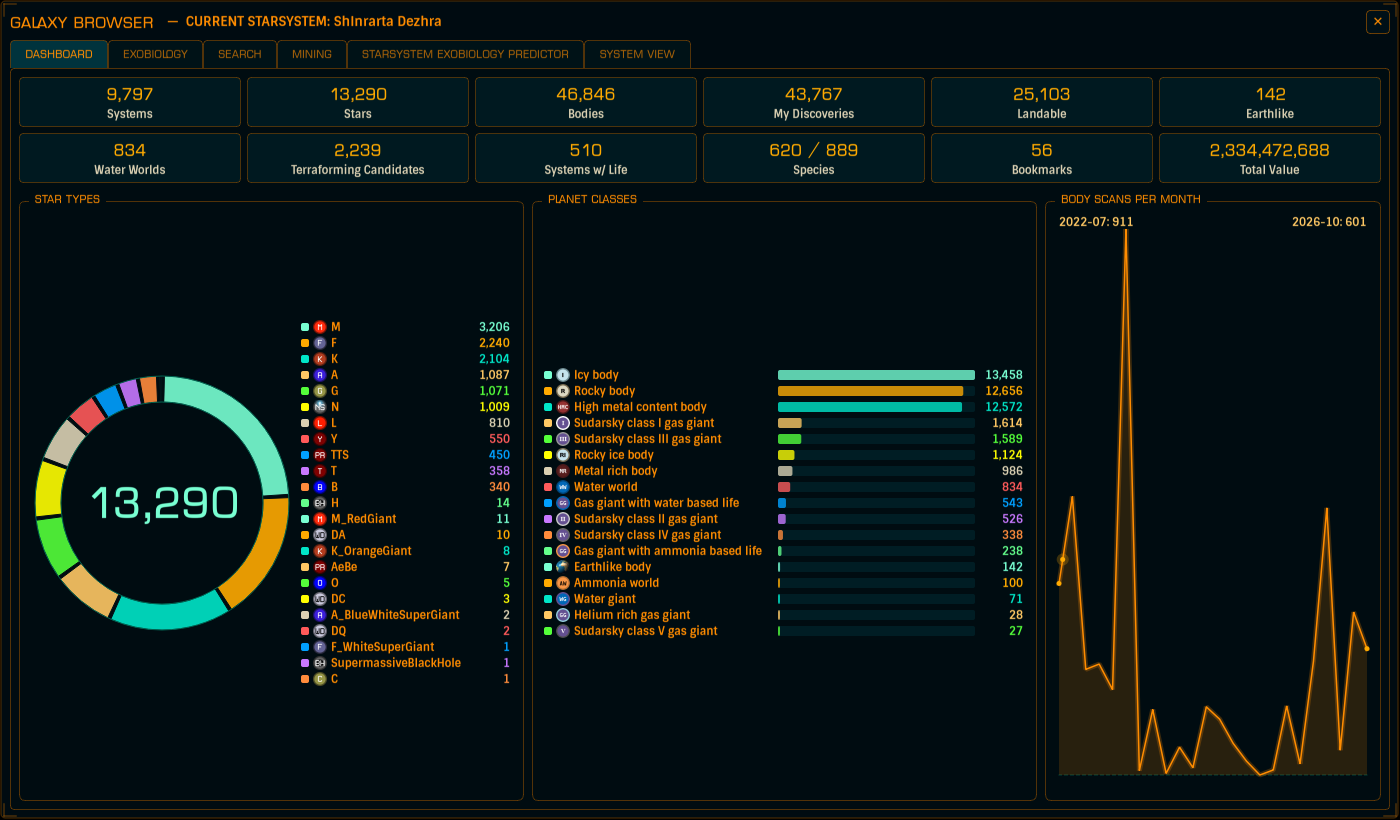
Your trip's vital signs: tiles for Systems, Stars, Bodies, My Discoveries, Landable, Earthlike, Water Worlds, Terraforming Candidates, Systems w/ Life, Species, Bookmarks and Total Value, plus charts for star types, planet classes and body scans per month.
The tiles are buttons. Click one - say Water Worlds - and the SEARCH tab opens pre-filtered to exactly that. It's the fastest way to ask "where should I go next?"
Search runs over the systems you have scanned, with filters: name and note text, star type, planet class, atmosphere, volcanism, checkboxes (landable, terraformable, rings, bio/geo/mining signals, your discoveries, bookmarks, mining data, nav beacon scan), a minimum system value, and a distance reference - measure from your current system or from Sol, within N light years.
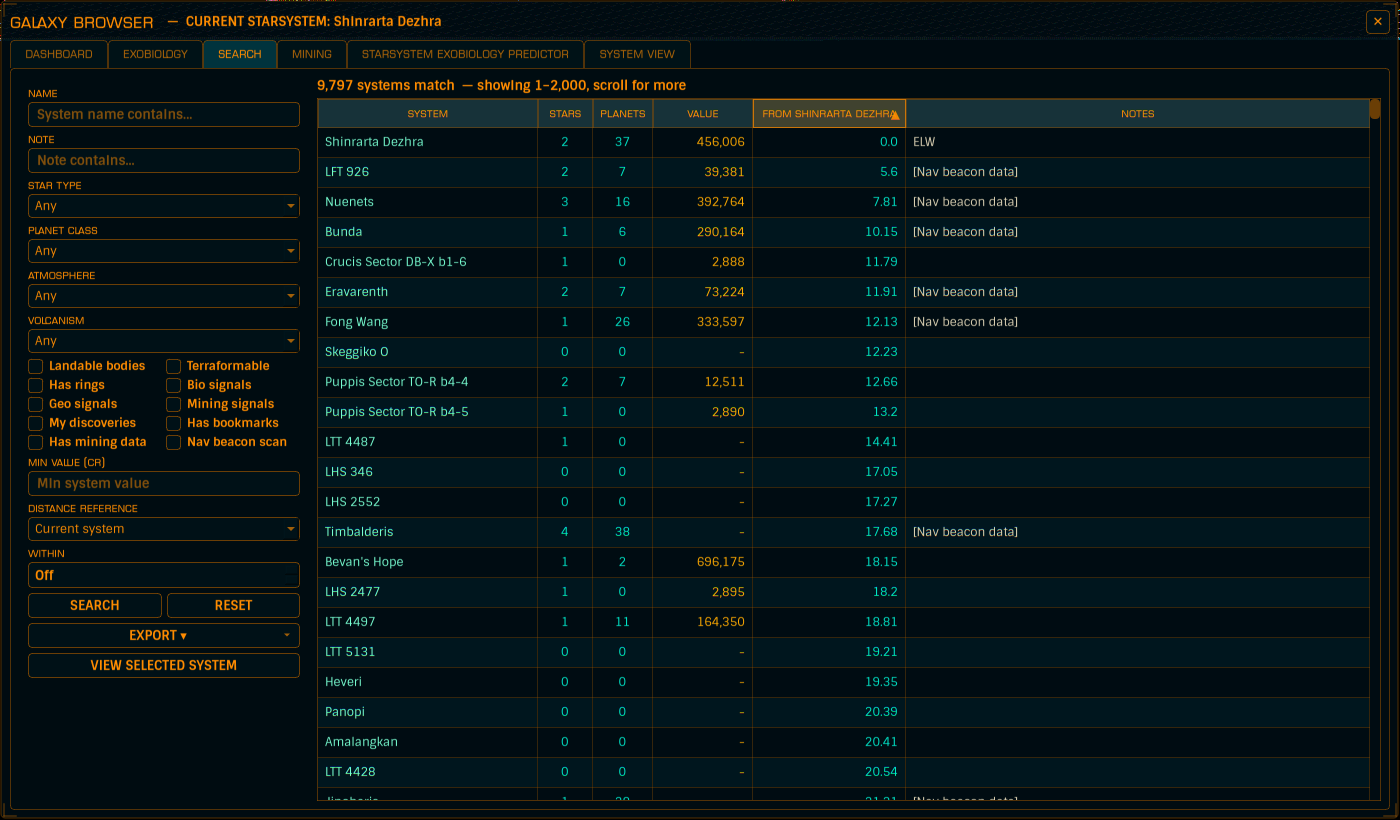
Results come back nearest-first by default, in blocks of 2,000: scroll past the bottom edge and the next block swaps in, past the top edge and the previous block comes back - so even enormous searches stay fast. Click any column header to re-sort; the sorted column glows and grows a arrow.
EXPORT dumps every matching system - not just the block on screen - to CSV or JSON, with a header block explaining which search produced the list, and including the x/y/z coordinates for feeding into external plotting tools.
Select a row and hit VIEW SELECTED SYSTEM to jump to its SYSTEM VIEW.
Ever wonder "where have I actually found Water?" This tab answers it across your entire galaxy database - surface deposits from your Rhino drill surveys and ring hotspot scans, nearest to your current system first.
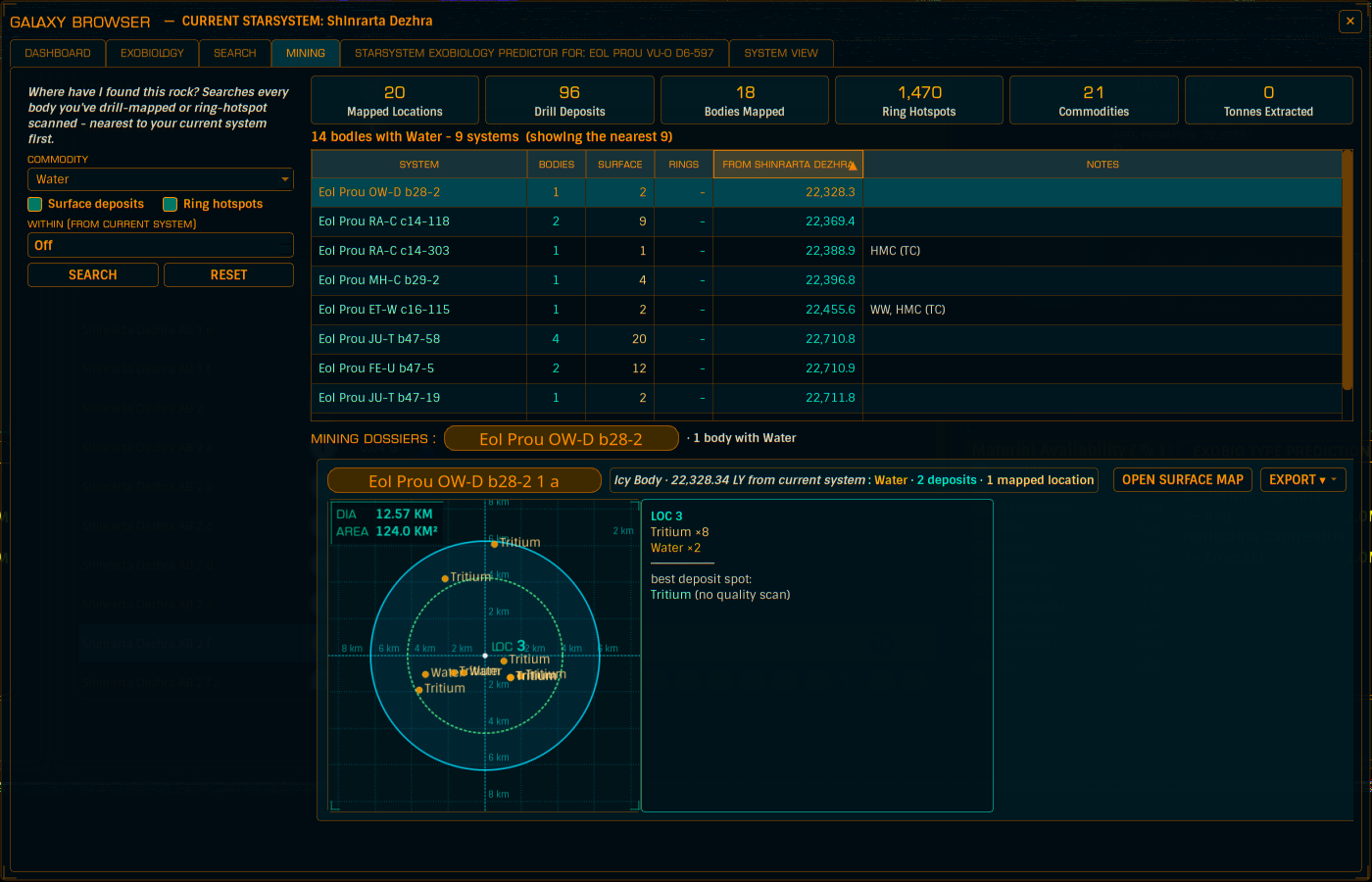
Pick a COMMODITY (only rocks you've actually mapped appear), tick surface deposits, ring hotspots, or both, and search. Results are one row per system - bodies holding the rock, deposit and hotspot counts, distance - and the nearest system's mining dossiers load automatically.
Each dossier card is one body: a banner line with the designation (click-to-copy), planet type and distance, then map plates of each mapped surface location with an info box listing the materials and the best deposit spot - colour-coded by quality, same as the Mining Helper. OPEN SURFACE MAP jumps to the Mining Helper for that body; EXPORT saves the body's entire mining dataset as CSV, JSON, or a smart-looking PNG survey card.
Your biological survey, rendered: census tiles, top genera charts, a signals donut, signals per month, and your richest life systems - plus the SPECIES CENSUS with its CATALOGUED and UNRESOLVED SIGNALS sub-tabs.
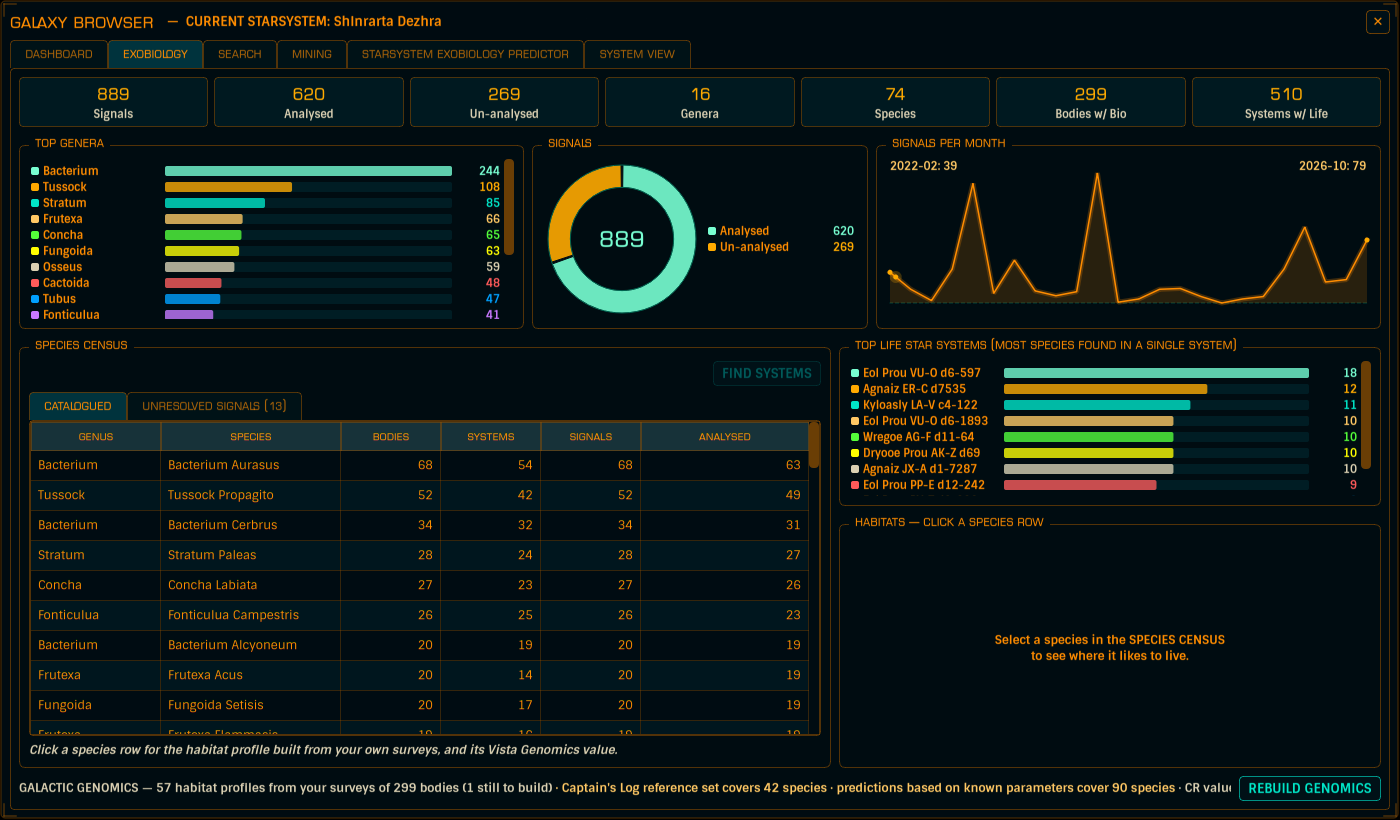
Click a species row and the HABITATS panel draws its Galactic Genomics habitat flowchart - the rules worked out from your own survey history, each carrying its evidence. Select an unresolved genus and the SIGNAL BODIES list shows every world you already have a signal on for it. That's a whole feature in its own right - it lives on its own page: Galactic Genomics.
FIND SYSTEMS takes a habitat profile and fills SEARCH with every body where the rules say the species could still be hiding - including worlds you've never probe-mapped. Go farm what you like.
Every world in the focused system that has biosignals, each with a ranked list of candidate species, their likelihood % and the CR value at stake.
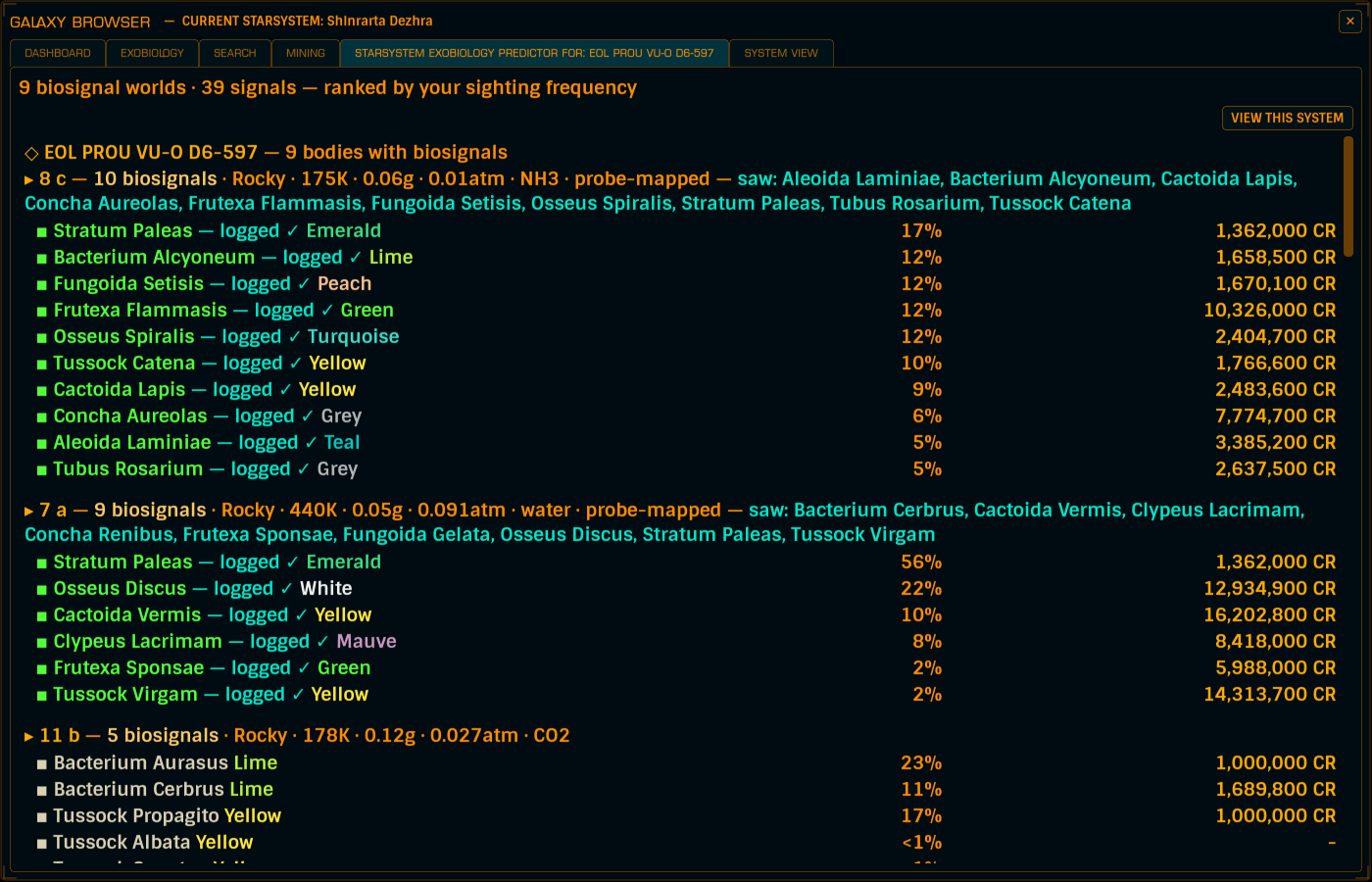
It focuses on whichever system you selected in SEARCH (or the system you're stood in - the tab title tells you which), and re-predicts live as you scan and probe. How the predictions are made is on the Galactic Genomics page.
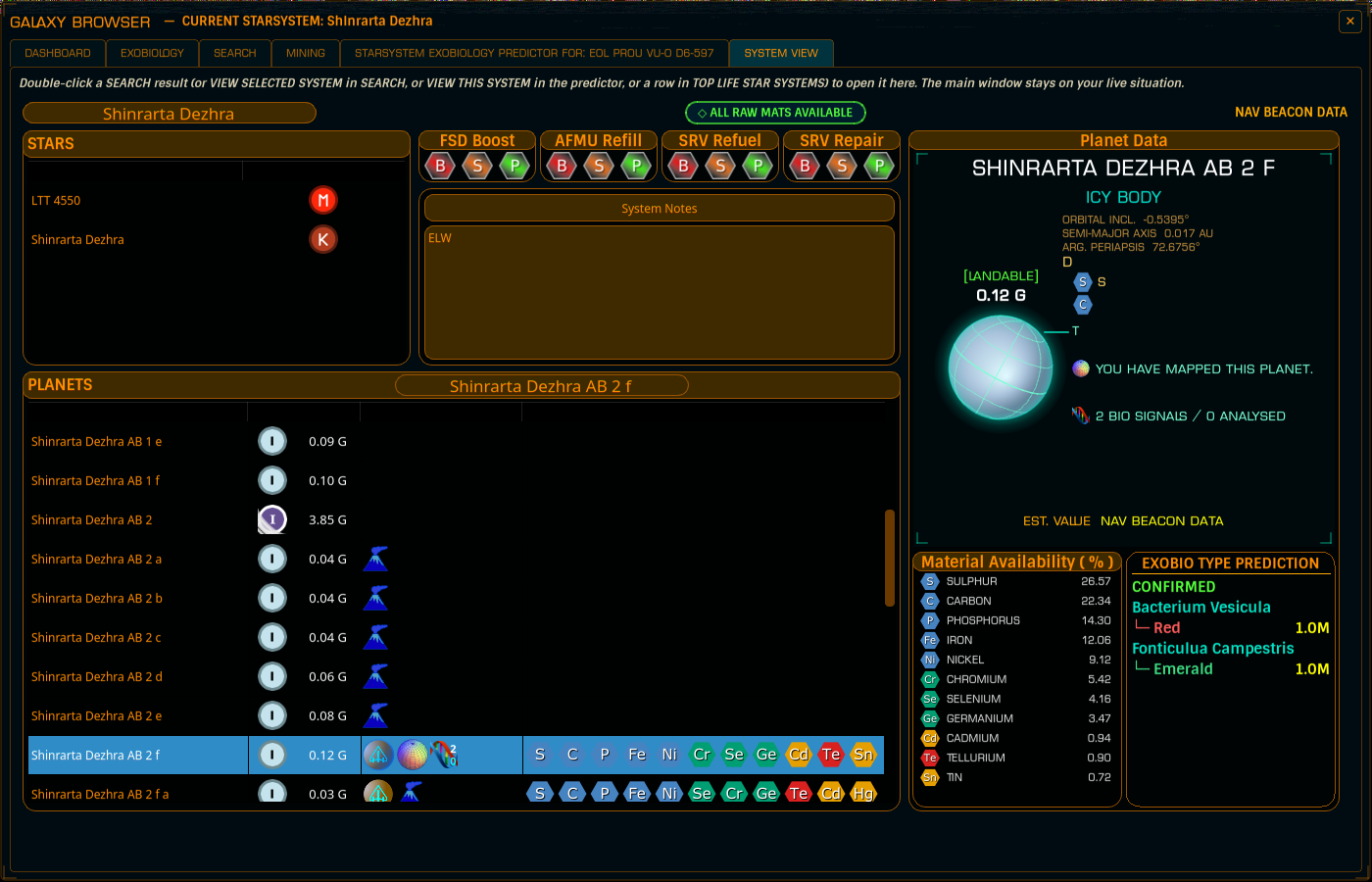
The deep-dive tab for one system.
Update your browser to view this website correctly.