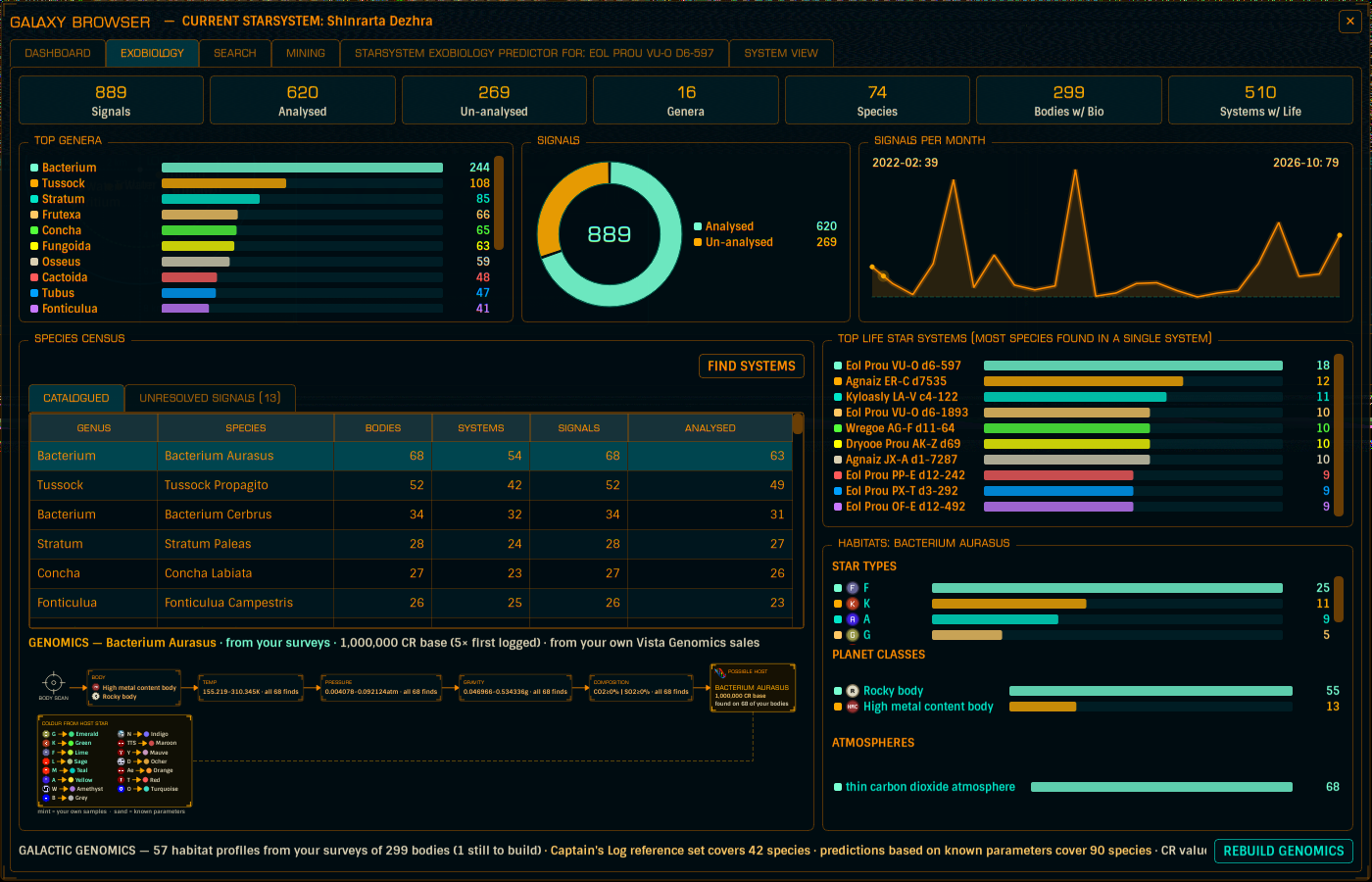
Galactic Genomics works out each species' habitat profile from your survey history - which species you have sampled, and what the bodies they were found on had in common. Body class, temperature, pressure, gravity and atmosphere, all derived from the finds already in your GALAXY.db.
Once a species has been found on 3 or more different named bodies, Captain's Log writes it a profile of rules, and every rule carries its evidence - "83 of 92 finds" - so you can see how solid a profile is instead of having to take it on trust.
Those profiles power the Exobio Type Prediction: Captain's Log watches every body you scan and tells you which species could be there - before you land.
The prediction shows up in three places:
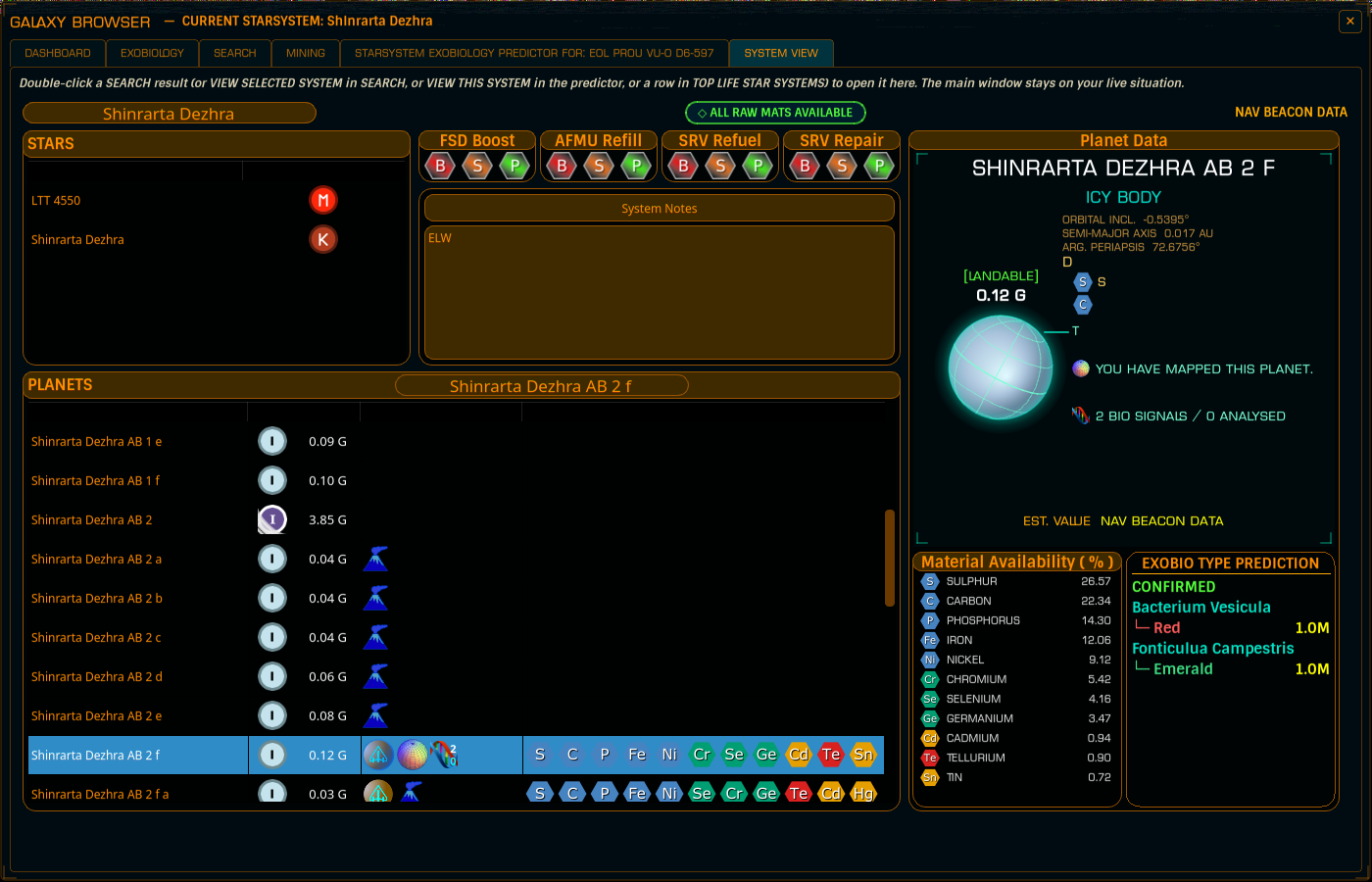
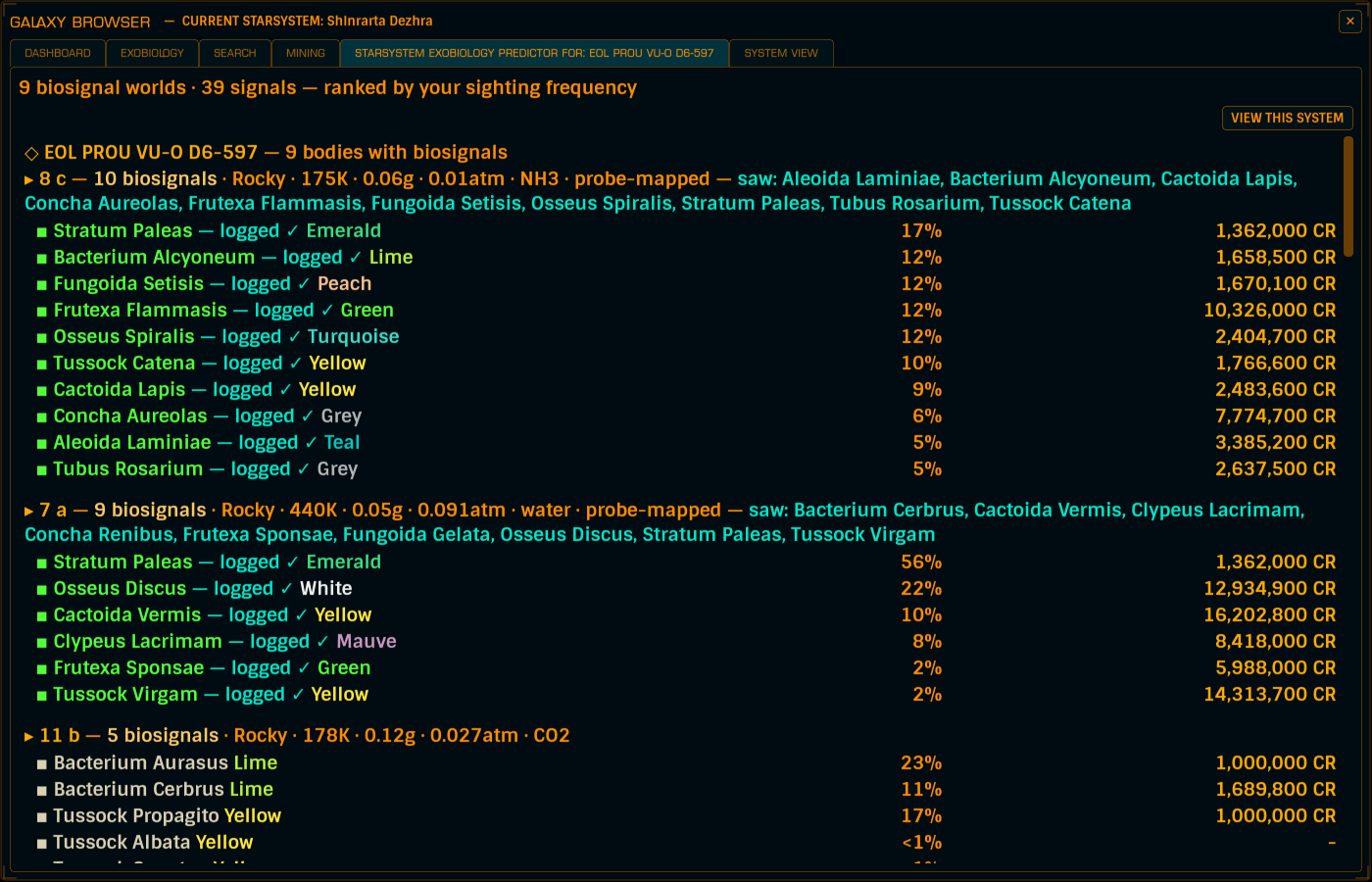
Species names carry their colour variants inline - the colour you analysed, painted in that colour, or a predicted one with a ?.
A profile tells you where it came from, because your odds and someone else's are not the same odds:
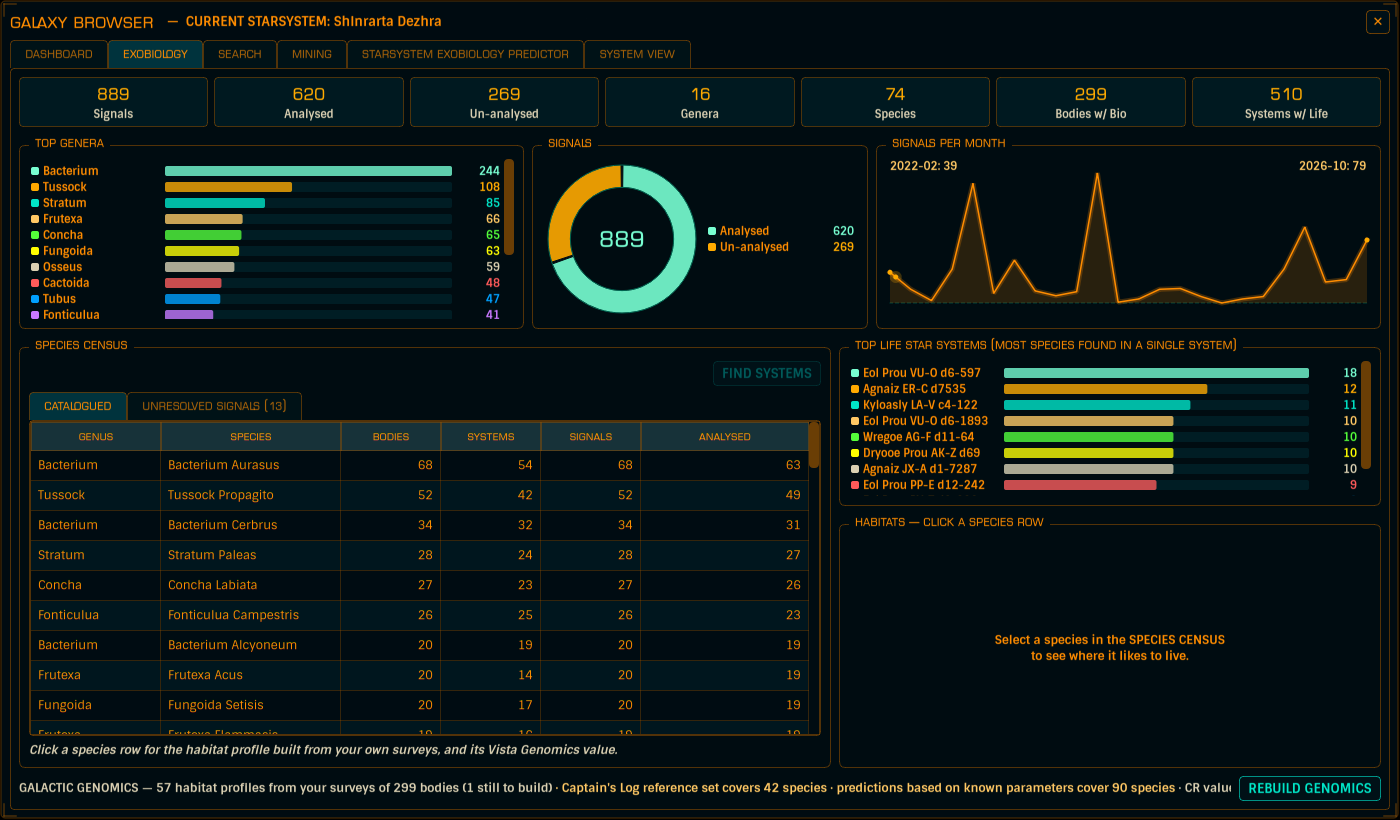
The Exobiology tab's footer gives the split - how many profiles came from your surveys, and what the reference and prediction sets cover - and REBUILD GENOMICS re-derives every profile from the finds in your database. Worth a click after a big journal import.
An organism's colour is decided by the core deposit it grows on - the same species over Yttrium is Red, over Ruthenium Aquamarine. Captain's Log knows the deposit-to-colour chart, merged with your own confirmed finds, which always win for the combinations you've seen.
A body's materials scan tells you which deposits exist on the body - and across the survey data, the deposit behind every logged colour is always present in that body's materials. One chart deposit on the body and the colour is predicted outright; two and you get both joined by a slash (Lime/Red) - an honest "one of these two".
Plenty of species grow no deposit-driven colour: their colour comes from the star their body orbits (Concha around a K star is Red, around a G star Turquoise), and the app carries that chart too. Colours colour the answer - they never change which species can be there.
Not every biosignal becomes a sample. The UNRESOLVED SIGNALS tab lists the genus-only backlog - the genus is known, the species isn't. Select a genus row and the SIGNAL BODIES list shows every body where you already have a biosignal for that genus, with its planet class, whether a probe has mapped it, and the distance from your current system, nearest first. Double-click a row to open that system in the Galaxy Browser's SYSTEM VIEW.
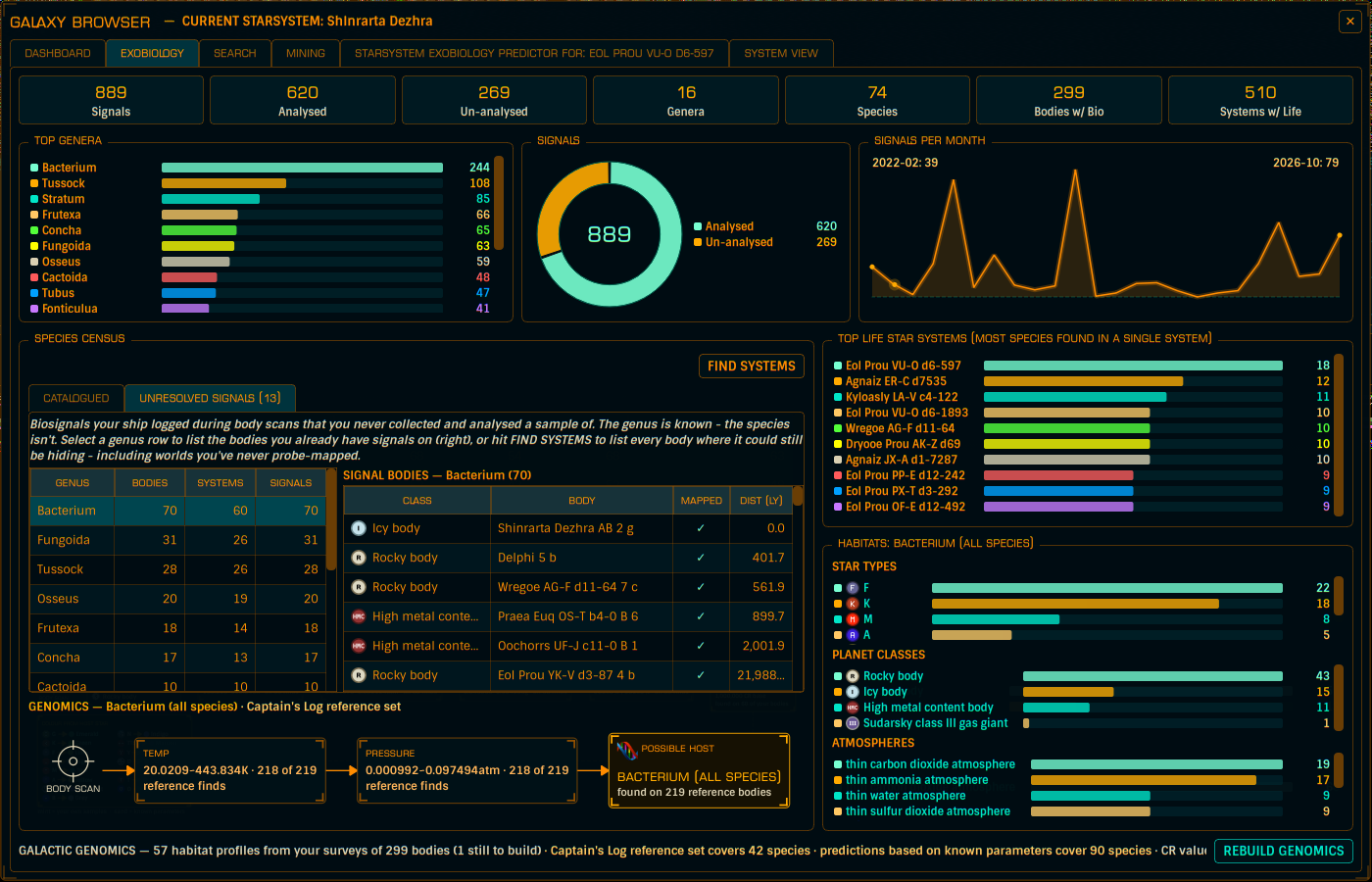
FIND SYSTEMS answers the other question: every body where it could still be hiding - including worlds you've never probe-mapped.
Configuration → Alerts tab:
Update your browser to view this website correctly.